Create a project
Start with an empty Markdown or LaTeX project, or choose a template.
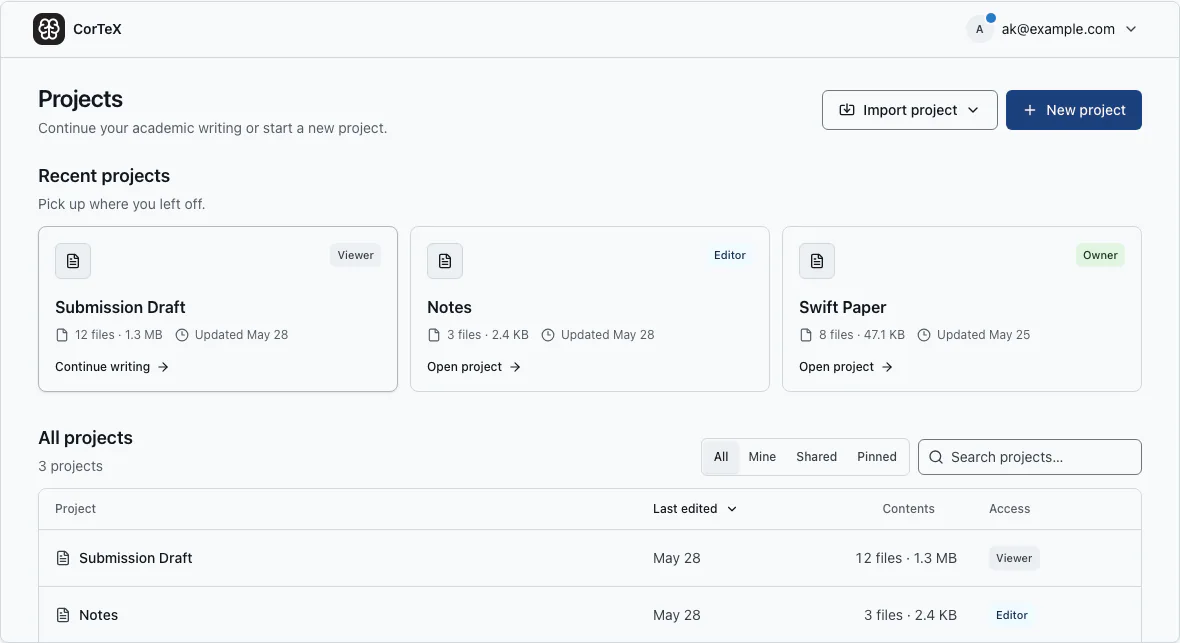
Sign in, open the Projects page, and choose New project. Select Markdown notes, a clean LaTeX paper, or a template from the searchable library, then name the project and confirm.
Choose a starting point#
Use Markdown for notes and early prose, LaTeX for a compiled paper, or an official author kit when a venue prescribes its format. Templates include example source, styles, and assets; TeX Live supplies the packages they need. If the required output is unclear, compare Markdown and LaTeX before choosing.
Set up LaTeX projects#
For LaTeX, choose a tested TeX Live snapshot—the fixed engine and package set CorTeX will use for reproducible builds. It remains pinned until an owner or full-project editor changes it, so a later release cannot silently change the output.
The new project opens with its starter file ready. Next, manage its files or compile LaTeX.