Import a project
Bring a public GitHub repository or ZIP archive into CorTeX safely.
On the Projects page, choose Import from GitHub and enter a public repository URL or owner/repo. Choose Import Overleaf ZIP to upload an Overleaf or other ZIP archive.
Review before importing#
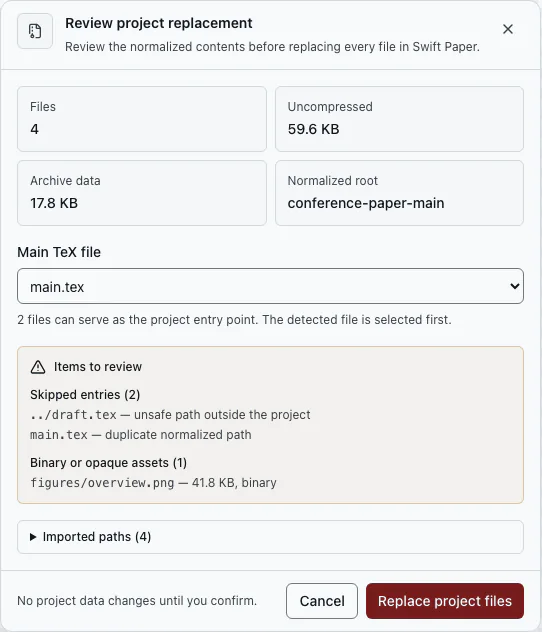
CorTeX lists included and skipped files, path conflicts, total size, and the likely main LaTeX document. Choose a TeX Live version and confirm the plan. No files are imported until you confirm.
Know the boundaries#
- GitHub import supports public repositories only and does not store a GitHub token.
- Symlinks and unsafe archive paths are skipped and reported.
- Conflicting or oversized content must be resolved during review.
After importing, check the files and folders and LaTeX main document. If older source does not build, start with LaTeX compile problems.