Split a LaTeX project into files
Organize one long manuscript around a main document, focused section files, figures, and bibliography data.
On this page
A long manuscript is easier to navigate when one main file owns the document setup and smaller files own individual sections or resources. This lesson organizes one paper with one main document. To keep distinct papers together and switch the preview between them, use Write multiple papers in one project.
Plan the project tree#
A typical research paper can use this layout:
main.tex
sections/
  introduction.tex
  methods.tex
  results.tex
figures/
  calibration.pdf
references.bib
macros.tex
Keep \documentclass, packages, document-wide settings, and the document
environment in main.tex. Put reusable definitions in macros.tex, literature
records in references.bib, and one coherent part of the paper in each section
file. Section files should not repeat the document class or begin another
document.
Include section files#
Create the folders and files in the CorTeX file tree, then include them from
main.tex in reading order:
\documentclass{article}
\input{macros}
\begin{document}
\input{sections/introduction}
\input{sections/methods}
\input{sections/results}
\bibliographystyle{plain}
\bibliography{references}
\end{document}
\input inserts a file at that location without forcing a page break. The
.tex extension may be omitted. \include is designed for chapter-sized units,
normally starts a new page, and works with \includeonly when a large book needs
selective chapter compilation.
The following compiled example uses filecontents* only to keep the documentation
sample self-contained. In a real project, create introduction.tex as a separate
file instead.
\begin{filecontents*}{introduction.tex}
\section{Introduction}
This section is stored in its own file.
\end{filecontents*}
\documentclass{article}
\begin{document}
\input{introduction}
\section{Results}
The main file controls the document order.
\end{document}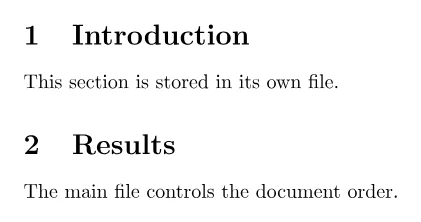
Resolve paths from the main document#
Project paths use / and are case-sensitive. Relative LaTeX paths are resolved
from the main document's folder, not from the folder of the section containing
the command. If main.tex is at the project root, a figure used inside
sections/results.tex is still written as figures/calibration.pdf.
Open main.tex to choose this paper for preview. Use Set as main document
in its row menu if it should also be the project's opening default. A section
file can remain active in the editor while CorTeX compiles the paper it belongs to. This
lets coauthors work in focused files without changing the shared document order
or preamble.
When CorTeX renames or moves a file, it updates recognized LaTeX references and shows the project change. Review custom macros, computed paths, and path names written in ordinary text because they cannot always be rewritten safely.
Keep the project reproducible#
Use one owner for each concern: do not duplicate package loading across section
files or maintain two competing macro files. Keep the .bib, class, style,
font, and figure files the paper needs in the project, unless the selected TeX Live snapshot
owns them. Before a large reorganization, save a named version.
Compile from main.tex after adding or moving a file. Success means the full
paper appears in the intended order, cross-references and citations resolve, and
another collaborator can compile without a private local file. If a dependency
is missing, use the file-not-found guide.